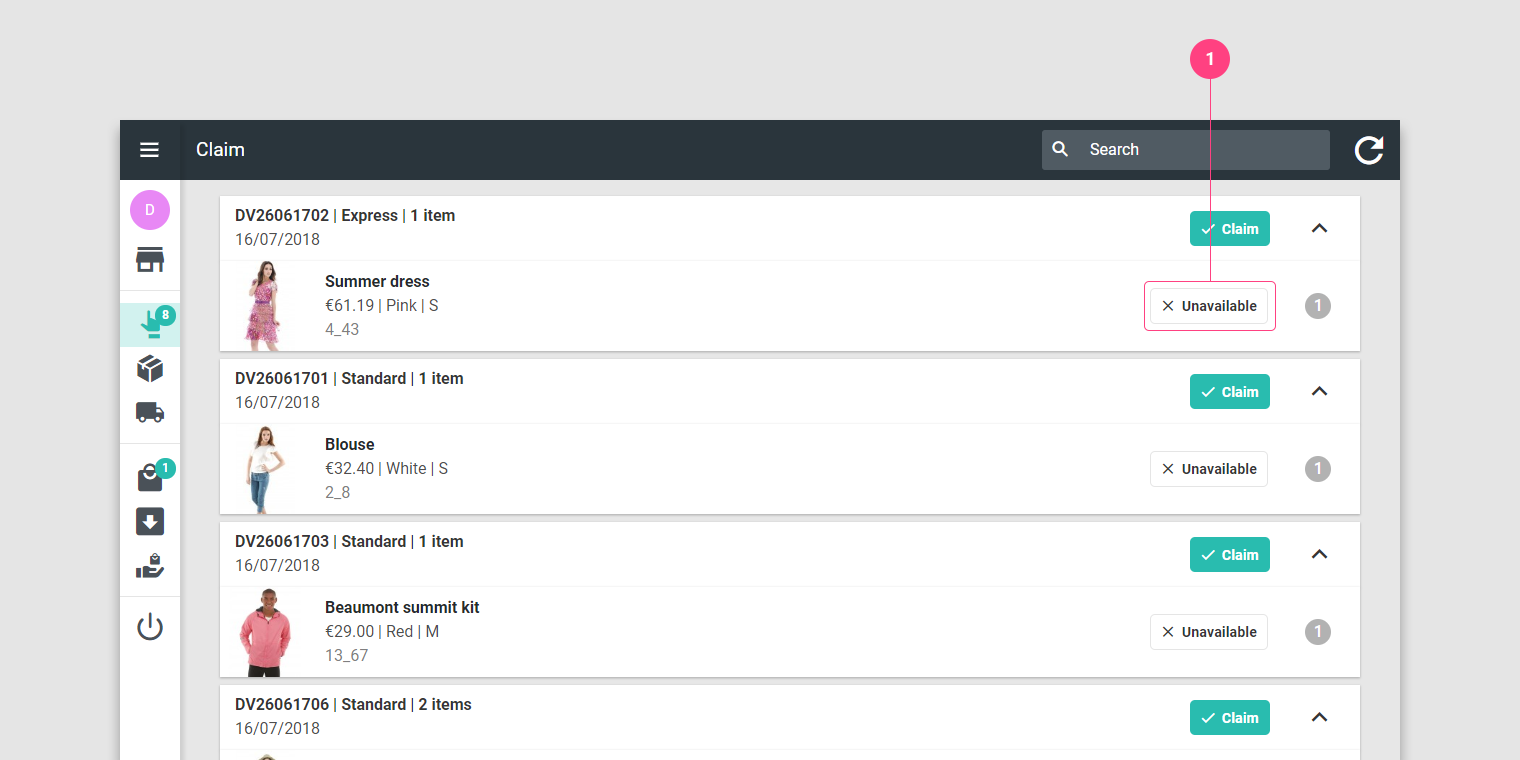
 1. Press the Unavailable button.
2. State the reason for unavailability.
1. Press the Unavailable button.
2. State the reason for unavailability.When claiming an order, should you realise that one of its items is unavailable, you are expected to report it and state a reason (item is damaged, missing…)
1. Press the Unavailable button.
2. State the reason for unavailability.
Following this action, the order is coloured in red and you can’t claim it any more. The next time you load or refresh this page, the order will be removed from the list.
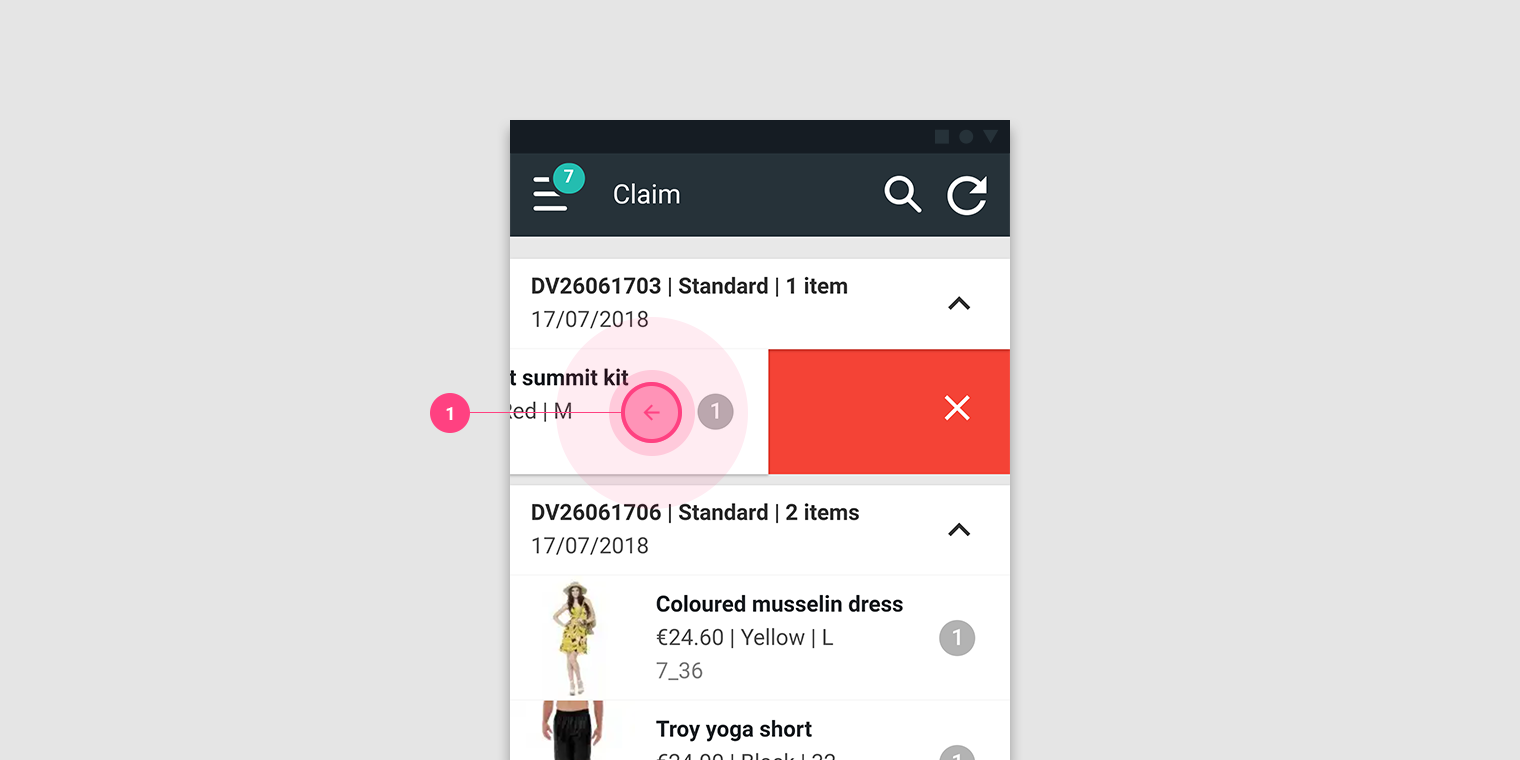 1. Make a swipe to the left on the item.
2. State the reason for unavailability.
1. Make a swipe to the left on the item.
2. State the reason for unavailability.
Following this action, the order is coloured in red and you can’t claim it any more. The next time you load or refresh this page, the order will be removed from the list.