🖥️ Version Desktop
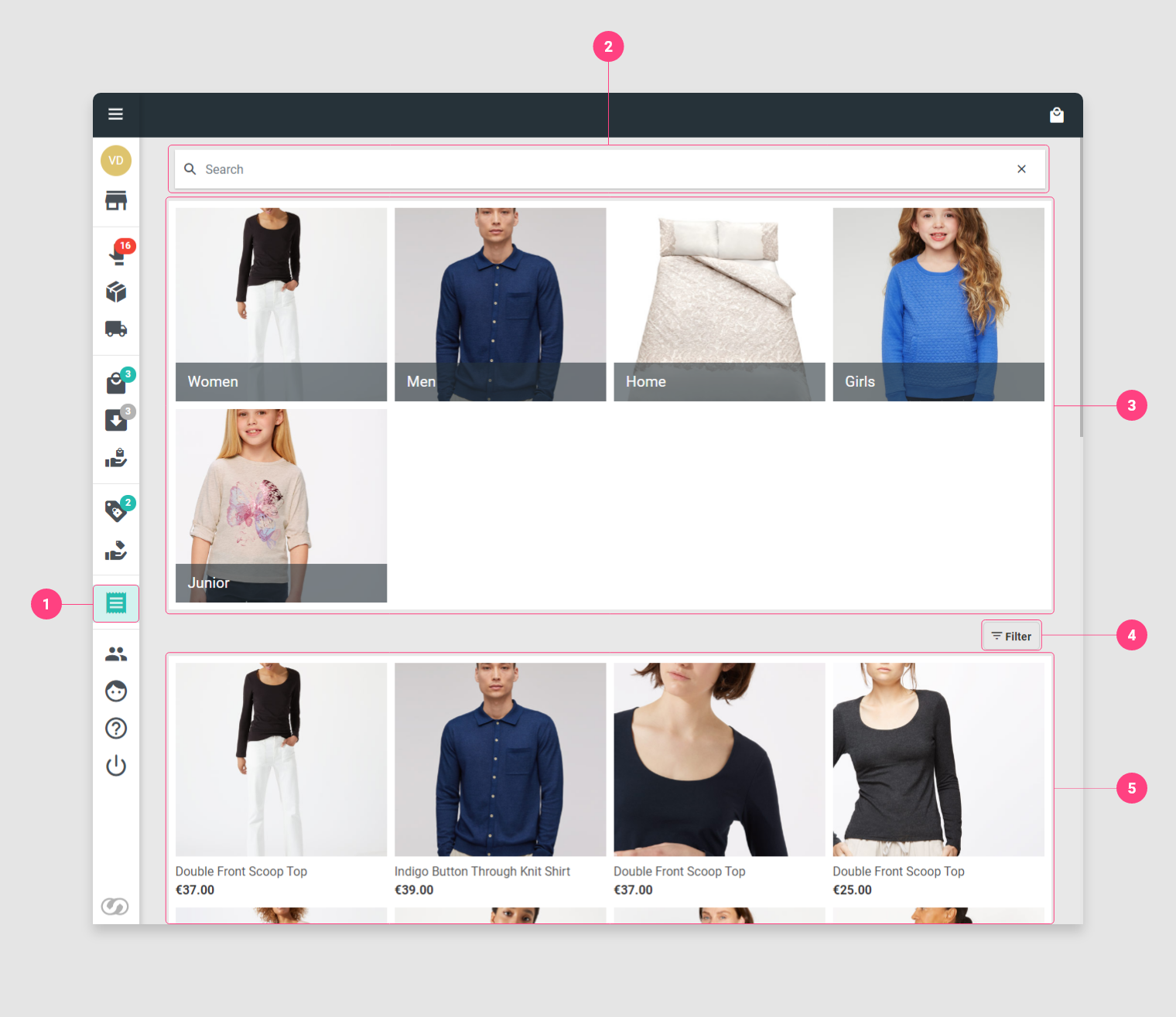
- Go to the Order in store page.
- To find a product it is possible to use the search field and fill in the name of the article or its SKU. It is also possible to scan the SKU directly to go directly to the product page.
- Tap on the categories to browse the catalog.
- Filter the product list by pressing the Filter button.
- View the list of products
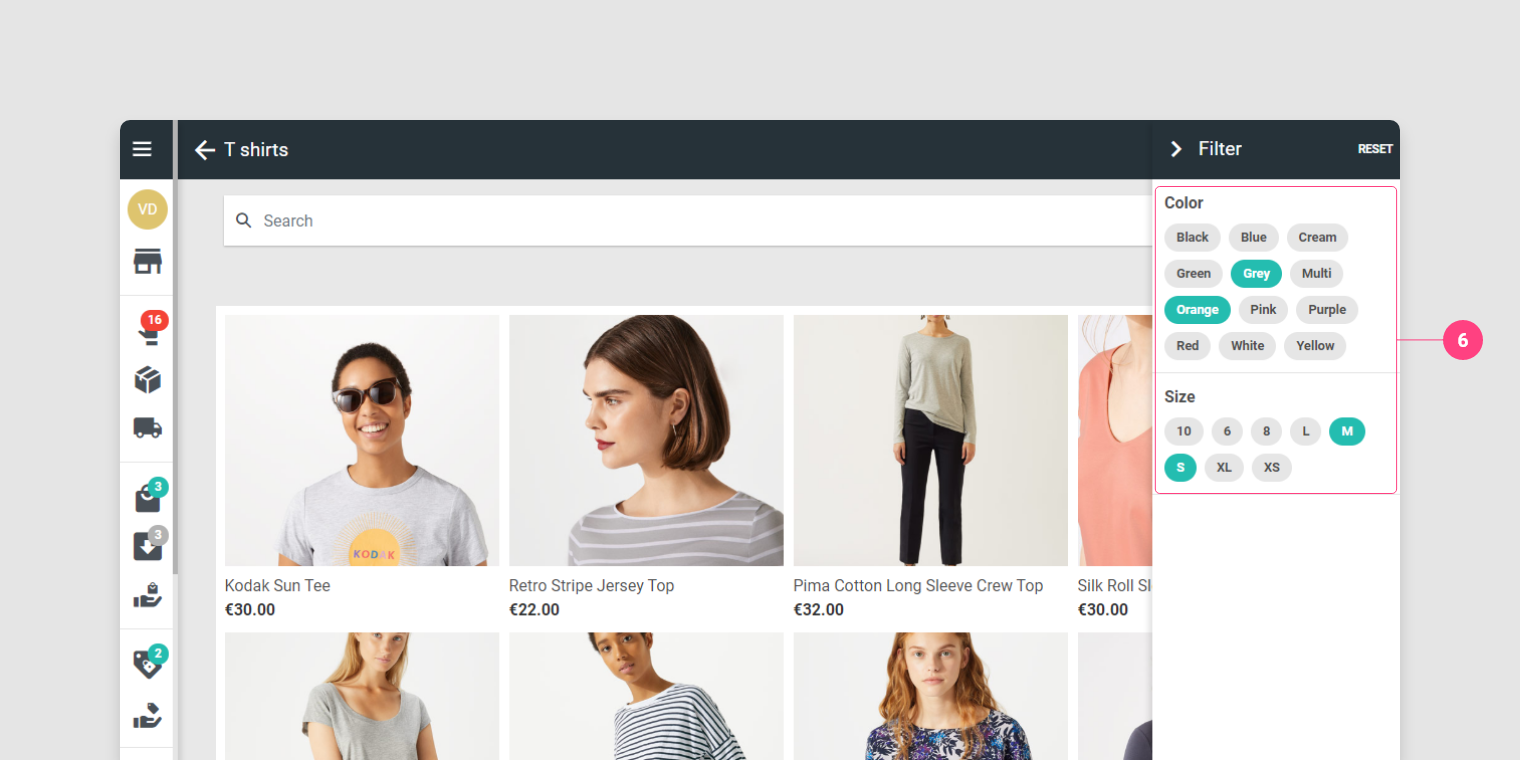
After pressing the Filter button
- Click on the combinations to filter the list of products.
📱 Version Mobile
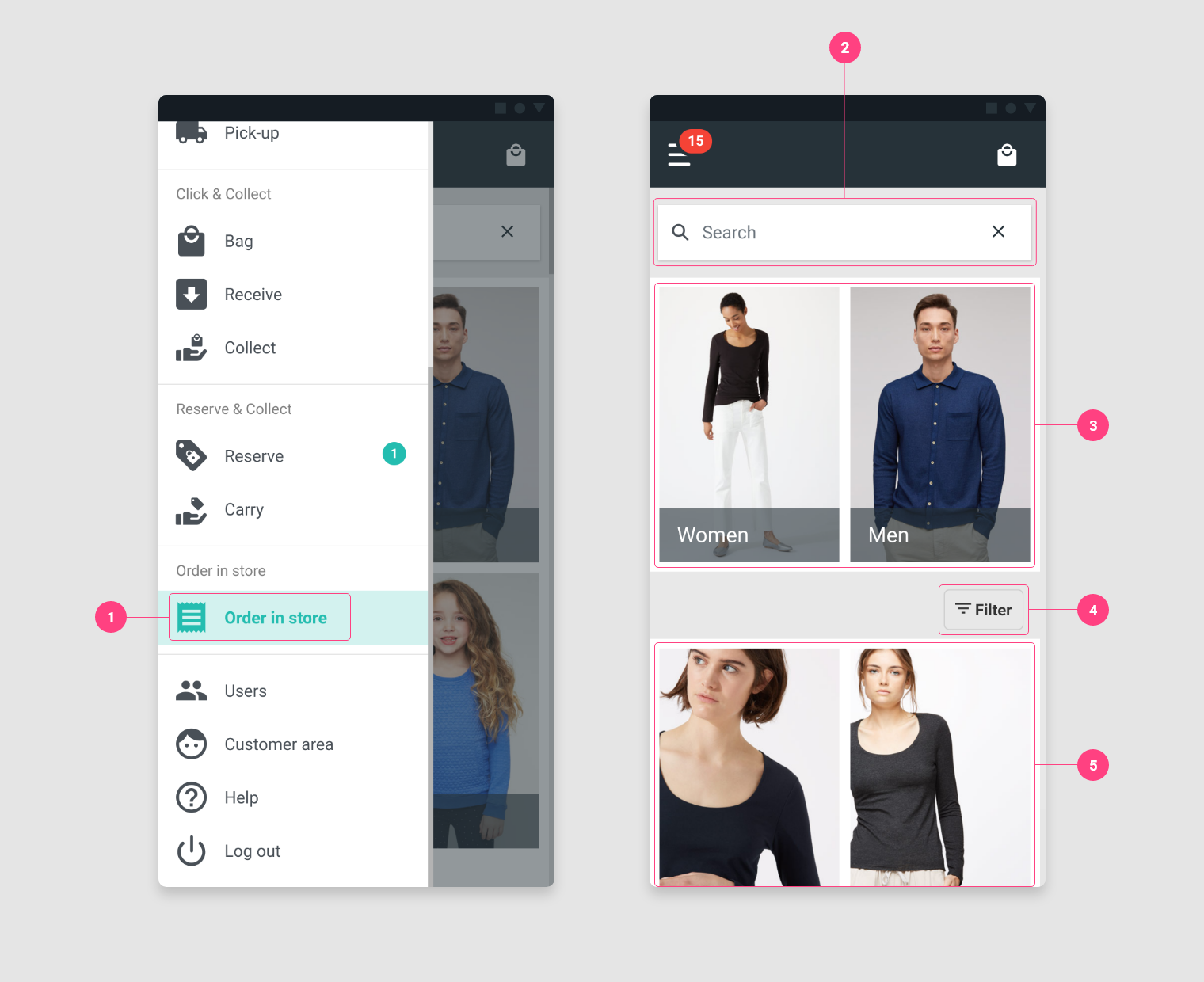
- Go to the Order in store page.
- To find a product it is possible to use the search field and fill in the name of the article or its SKU. It is also possible to scan the SKU directly to go directly to the product page.
- Tap on the categories to browse the catalog.
- Filter the product list by pressing the Filter button.
- View the list of products
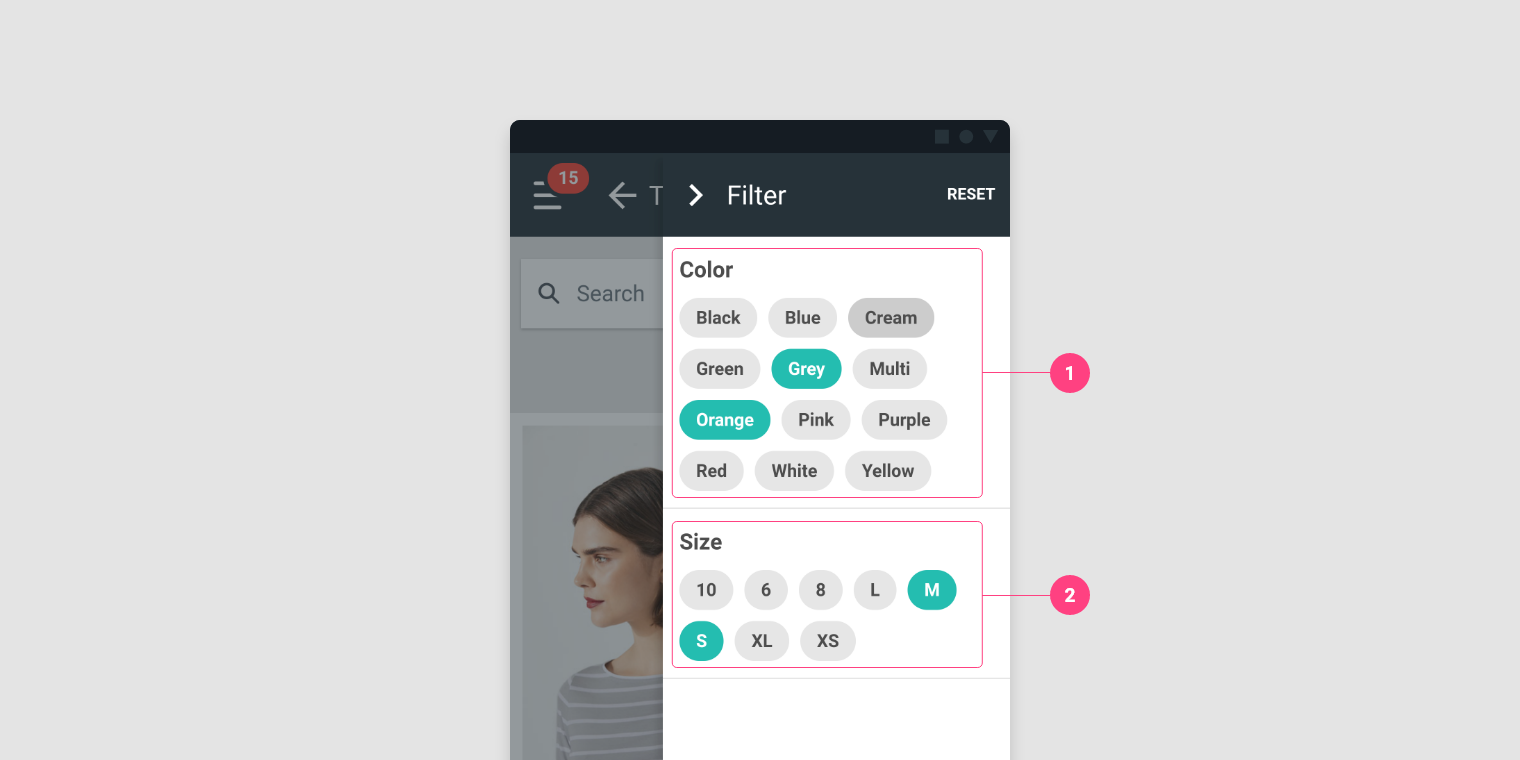
After pressing the Filter button
- Click on the combinations to filter the list of products.