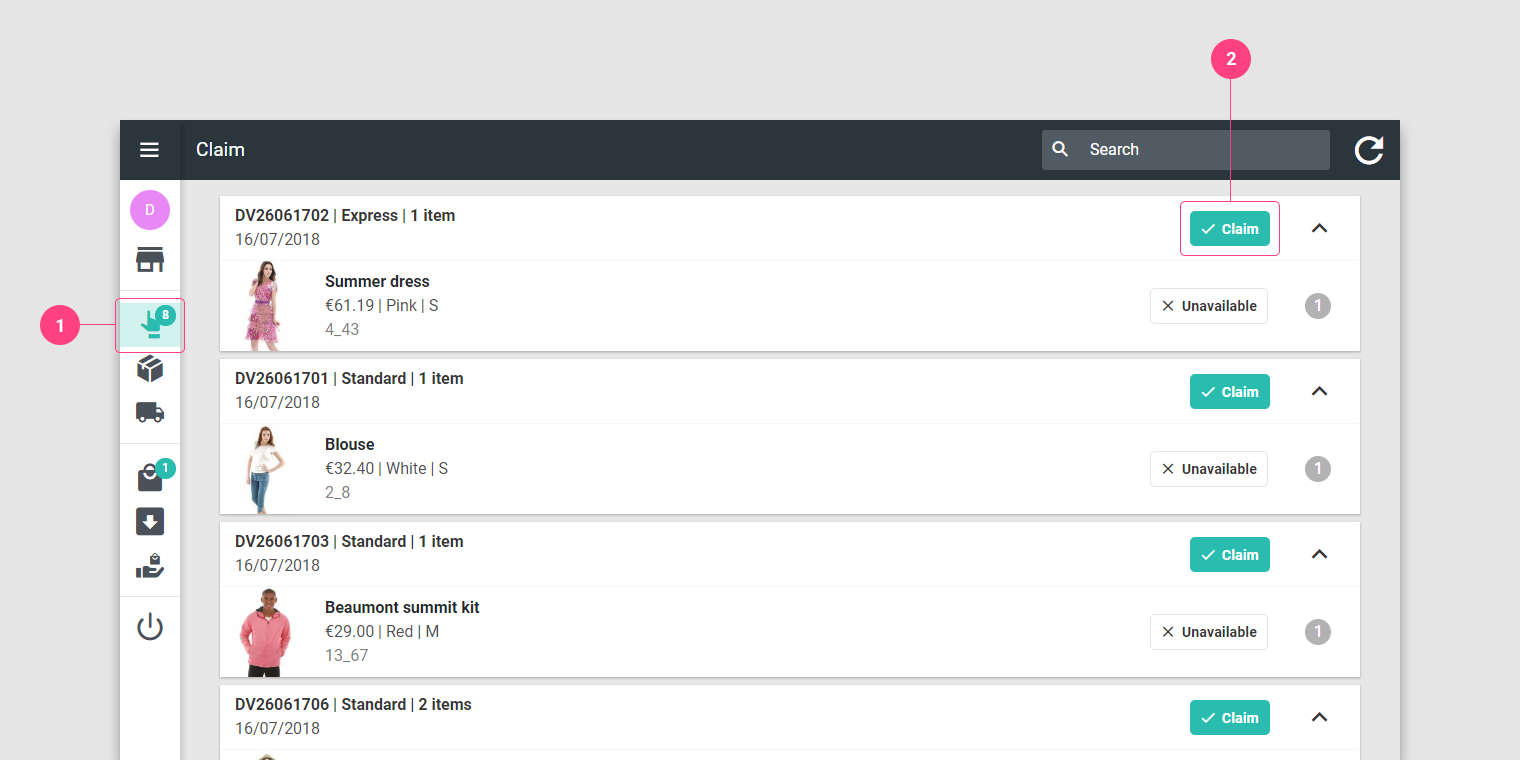
 1. Go to the Claim page.
 2. Press the Claim button.
The Claim page lists the orders that your store has the ability to fulfil. When claiming an order, you need to make sure that all the items it includes are available in your shelves or stock.
1. Go to the Claim page.
2. Press the Claim button.
This action allocates the order to your store.
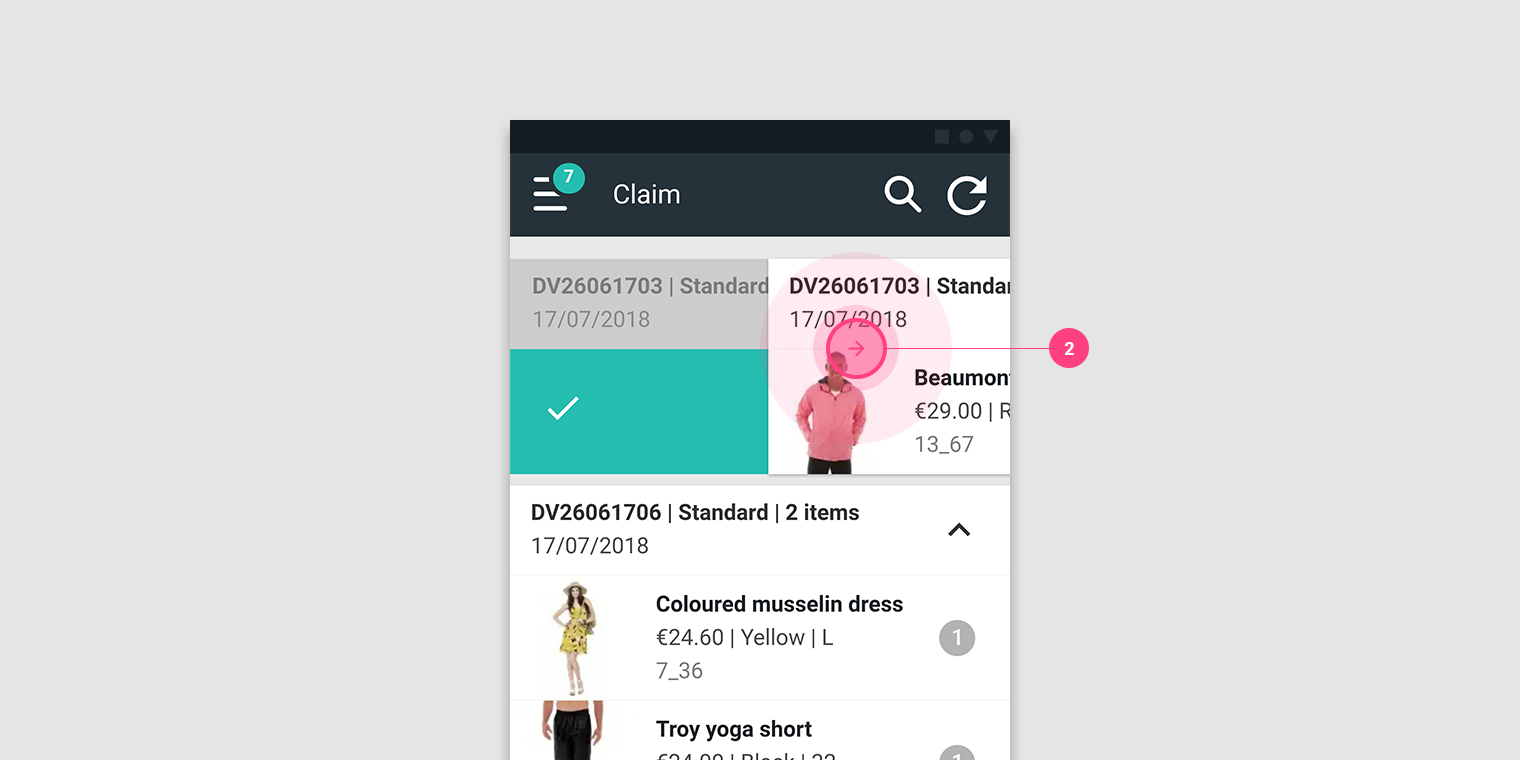 1. Go to the Claim page.
2. Swipe right on the order or its items.
1. Go to the Claim page.
2. Swipe right on the order or its items.
This action allows you to reserve the order for your store.